GroqBoard v5.0 - Now with free trial

Voice Typing.
Lightning Fast.

Voice typing, full QWERTY with swipe, AI editing, floating bubble, and smart predictions. All in one keyboard, in 8 languages. Fast. Accurate. Private.

5.0 on Google Play
100+ downloads
7-day free trial · No credit card needed
🎙️ Voice to Text
🫧 Floating Bubble
⌨️ Full Keyboard
Hey, don't forget to pick up groceries on your way home
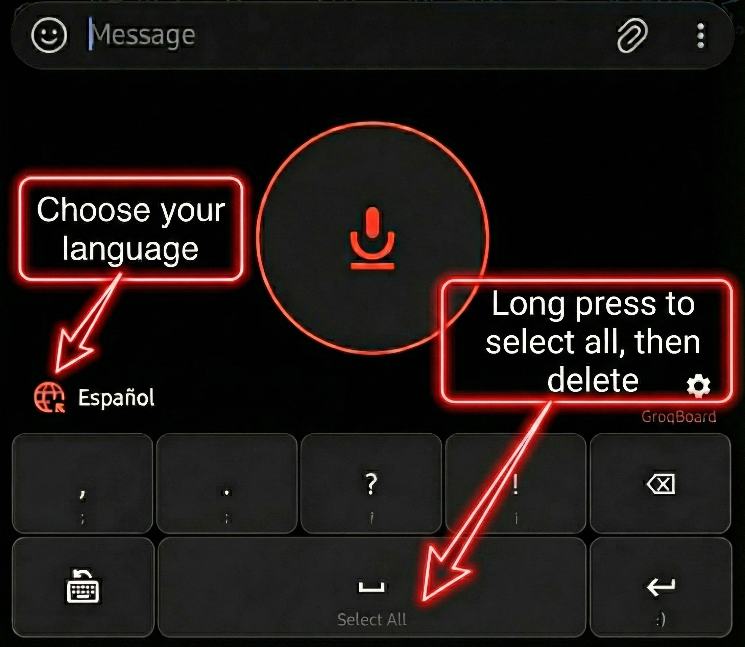
Español
GroqBoard
,;
.:
?¿
!¡
Select All
:)
Whisper Large V3
Powered by Groq
8 Languages
EN, ES, PT, FR, DE, IT, NL + Auto

Voice, Keyboard, and AI Working Together

Voice dictation, full keyboard, floating bubble, AI editing, swipe typing, and smart predictions. All private, all on-device learning.

🎙️

Instant Voice Typing

Tap the mic and speak. Your words appear as text in real time, powered by Groq's Whisper AI.

🌐

8 Languages

EN, ES, PT, FR, DE, IT, NL + auto-detect. Set two favorites on the keyboard for instant one-tap switching.

NEW

AI Voice Editing

Tap the magic wand and edit with voice. "Replace X with Y", "make it formal", "fix grammar". Rewritten instantly by Groq's LLM.

NEW
🫧

Floating Bubble

Dictate in any app without switching keyboards. Tap to speak, long-press for AI editing. Drag to dismiss, shake to restore.

⌨️

Full Keyboard

QWERTY with swipe typing, emoji keyboard, and resizable height (60%–160%). Voice, typing, and swipe work together.

NEW
🧠

Smart Predictions

Auto-correct, accent correction, and next-word suggestions powered by local learning and Groq's LLM. The more you type, the smarter it gets.

✍️

Personalize It

Add custom vocabulary, names, and writing style via Custom Instructions. Train predictions by importing your WhatsApp chat history or any .txt file.

Works Everywhere

WhatsApp, Gmail, Google Docs, social media, notes. If you can type there, you can speak there.

🎯

Smart Shortcuts

Delete x5 to clear all. Double-tap space for top prediction or period. Quick punctuation and instant keyboard switching.

Wear OS

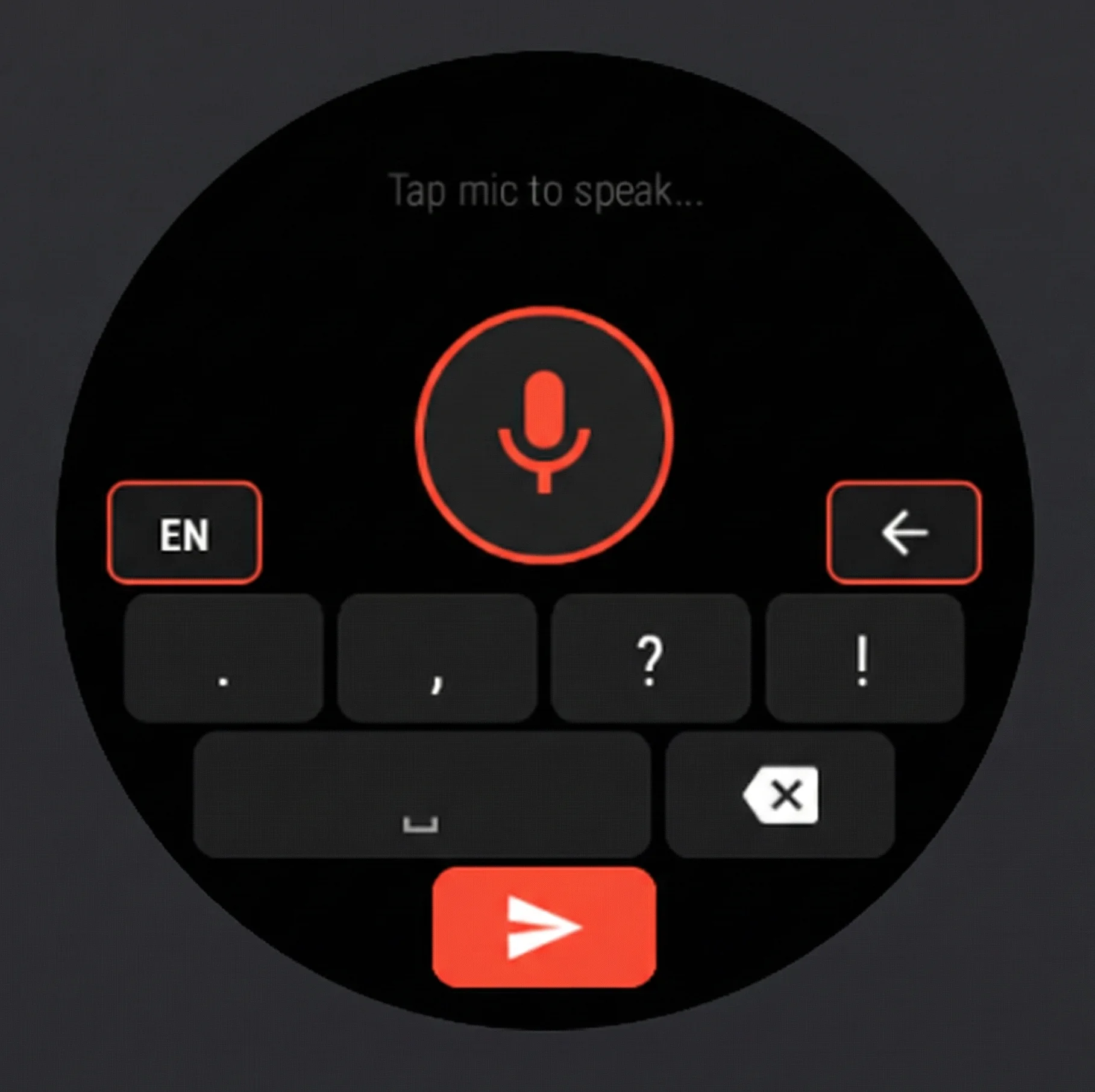
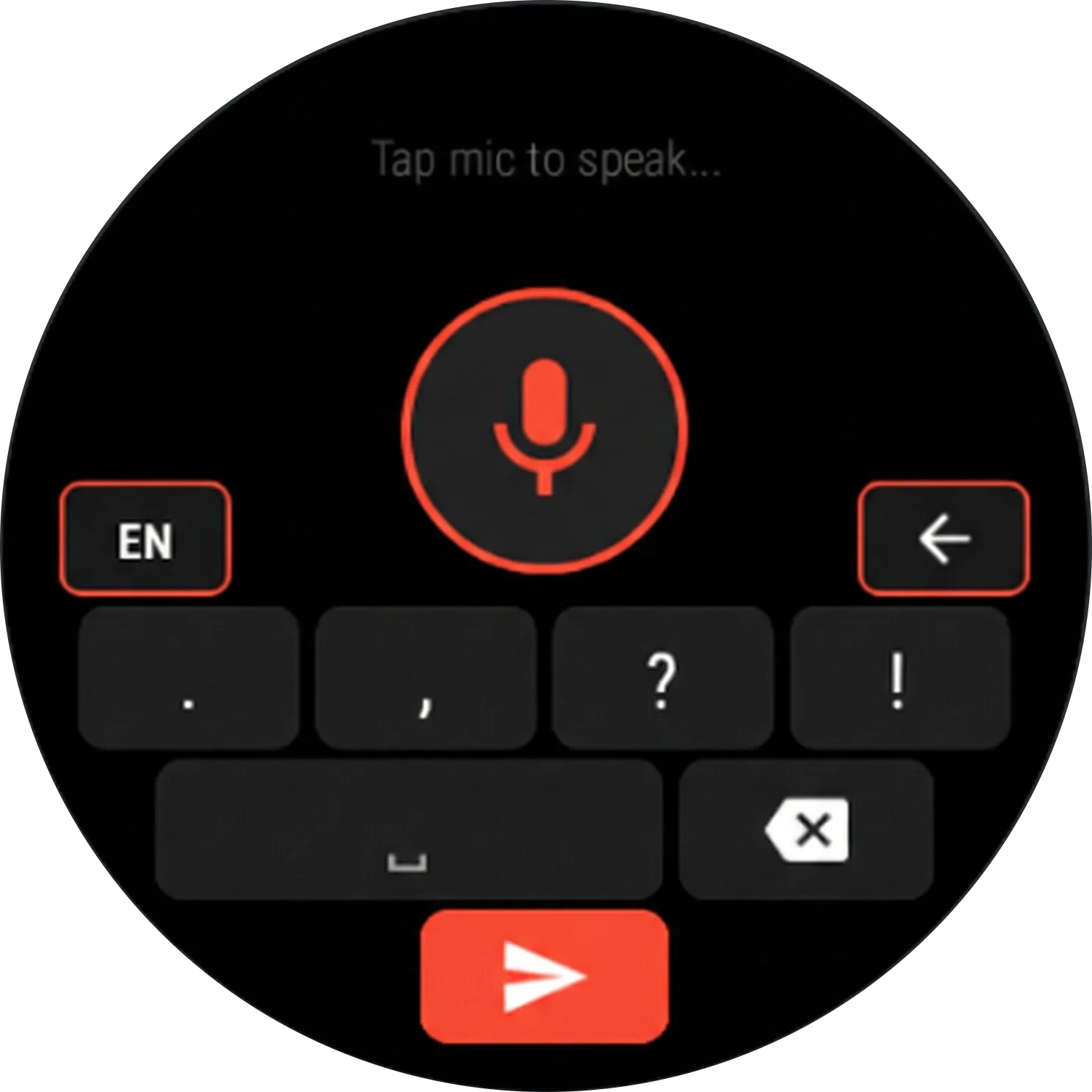
Dictate from your smartwatch with a watch-optimized UI. Settings sync automatically.

GroqBoard speech-to-text voice typing on Wear OS smartwatch

Now on Your Wrist

GroqBoard brings the same lightning fast voice typing experience to your Wear OS smartwatch. Reply to messages, take notes, type anywhere... all without reaching for your phone.

Dictate from your watch in any app
🔄 Settings sync automatically from your phone
🎯 Watch optimized circular UI design
🌐 All 8 languages supported including Auto detection

Beautiful. Simple. Powerful.

GroqBoard
Watch Demo
GroqBoard AI voice keyboard for Android - voice typing interface
GroqBoard full QWERTY keyboard with swipe typing and smart predictions
GroqBoard floating bubble - dictate in any app
GroqBoard smart word predictions powered by AI
GroqBoard lifetime license - one-time payment, no subscription $4.99 USD
GroqBoard settings - languages, floating bubble and custom vocabulary
GroqBoard keyboard layout close-up
GroqBoard voice keyboard on Wear OS smartwatch

Up and Running in Minutes

Four simple steps to transform how you type on Android.

1

Enable GroqBoard

Open your Android keyboard settings and enable GroqBoard as an input method. Just takes a few taps.

2

Add Your Groq API Key

Get your free API key at console.groq.com and paste it into the settings. Simple signup, no credit card needed.

3

Personalize & Train

Optional but powerful. Use Custom Instructions to teach GroqBoard your writing style and names. Import a .txt file via Train Predictions to learn your vocabulary. WhatsApp exports work great.

4

Start Speaking!

Open any app, switch to GroqBoard, tap the mic button, and watch your voice become text instantly.

🔒

Privacy First. Always.

  • Your audio is NEVER stored or collected
  • Recordings are processed instantly and deleted
  • Your API key stays on your device only
  • No ads, no tracking, no data collection
  • No data shared with third parties

Loved by Real Users

Most recent reviews on Google Play.

5.0
Latest reviews on Google Play
Apr 21, 2026

"Fantastic app! Set up couldn't be easier. Got a chance to stress test it for a straight hour and it performed beautifully, exactly what I needed and I love the interface. Dev is great too, I sent off a question and got a nice reply back, gotta love someone who really cares about the app and users! Highly recommend this, Groqboard perfectly solves my transcription needs in the more straightforward way! Thank you for the app :)"

Motorola Moto G Stylus (2021)  ·  English
Mar 30, 2026

"It's just what I was looking for to have high quality dictation anywhere without another janky keyboard."

Google Pixel 10a  ·  English
Mar 26, 2026

"I updated GroqBoard today. A while ago I asked the developer if the size could be adjusted, and now it is. This means the keyboard no longer takes up so much space on my screen. I think the floating microphone option is a brilliant idea, and I've already used it. I use this keyboard and can type very quickly. Thanks for the personal feedback and for the new features."

Samsung Galaxy A52s 5G  ·  German
Mar 24, 2026

"Perfect, I always have it available with the floating bubble option. A perfect complement to your device."

ZTE A2023G  ·  Spanish
Feb 23, 2026

"It's great to see integrated qwerty keyboard. Great app. Are you considering to add more language like Chinese? Thanks!"

Google Pixel 8 Pro  ·  English
Dec 4, 2025

"This keyboard saves your time."

Redmi 9  ·  English

Good to Know

How much does GroqBoard cost?

GroqBoard is free to try for 7 days — no credit card required. After the trial, unlock a lifetime license with a one-time payment (~$4.99 USD). No subscription, ever. Google Play adjusts the price to your local currency automatically.

What if I try it and don't like it?

The 7-day free trial lets you test everything before paying — no risk at all. If you unlock the lifetime license and change your mind, Google Play gives you a refund window. Just open the app's page on the Play Store, tap Refund, and you're done.

I already purchased GroqBoard before v5.0 — do I need to pay again?

No! If you purchased GroqBoard before v5.0, your lifetime license is activated automatically — no action needed. If it doesn't appear, you can request an activation code by emailing support@groqboard.com.

Why is GroqBoard so much cheaper than other AI keyboard apps?

Most AI keyboard apps charge a monthly subscription because they pay for every transcription out of their own pocket — API costs add up fast. GroqBoard works differently: you connect your own free Groq API key, and your audio goes directly from your phone to Groq's servers. GroqBoard never pays for your usage, which means no per-user cost and no reason to charge a subscription. You get the same state-of-the-art AI for a one-time $4.99 instead of $10–30/month.

What AI model does it use?

Voice recognition runs on Whisper v3 Large, one of the most accurate speech-to-text models available, running on Groq's ultra-fast hardware. Smart predictions use a LLaMA model, also via Groq. Both are state-of-the-art open models.

Can I make it learn my writing style?

Yes. You can import a WhatsApp chat export and the app trains on your own messages, learning your vocabulary, phrases, and preferred language. You can also add custom words manually. The more you use it, the smarter it gets.

Does it need internet to work?

Voice recognition and AI predictions require an internet connection; they run on Groq's servers. The full QWERTY keyboard and swipe typing work completely offline, so you can still type without a signal.
Power User Tips

Unlock GroqBoard's full potential with these advanced configurations.

Quick Settings Tile: Switch to GroqBoard Instantly

Android lets you add a Quick Settings tile to switch keyboards with one tap — no more digging through settings. To enable it, connect your phone to a computer and run this ADB command:

adb shell cmd statusbar add-tile com.alegol.groqboard/.KeyboardTileService

Once added, you'll see a GroqBoard tile in your notification shade. Tap it to instantly switch your active keyboard to GroqBoard.

Pro tip: Move it to the top

  • Swipe down to expand your notification shade
  • Tap the pencil/edit icon to rearrange tiles
  • Drag the GroqBoard tile to the first row so it's always visible without fully expanding

Now switching to GroqBoard is literally one swipe and one tap away.


🎧

Hands-Free Voice Input with a Physical Button

Want to start and stop voice dictation without touching the screen? GroqBoard supports external triggers — meaning you can map any physical button (volume key, Bluetooth remote, headset button) to toggle transcription on and off.

To set this up, use an automation app like:

  • MacroDroid (free, beginner-friendly)
  • Tasker (paid, very powerful)
  • Automate (free, flowchart-based)

The general setup is:

  • Trigger: Choose a physical button press (e.g., volume down, a Bluetooth button, or headset button)
  • Action: Send a broadcast intent to toggle GroqBoard's voice input:
Intent action: com.alegol.groqboard.TOGGLE_VOICE Package: com.alegol.groqboard

That's it. Press the button once to start listening, press again to stop and send the transcribed text to whatever app you're in.

Use cases:

  • Dictate messages while driving with a Bluetooth steering wheel button
  • Quick voice notes with a press of the volume key while your phone is in your pocket
  • Hands-free transcription at your desk using a cheap Bluetooth remote

Contact Us

Have a question, feature request, or found a bug? We'd love to hear from you.

Ready to Type Smarter?

Join hundreds of users who've transformed their mobile typing experience. Voice, keyboard, bubble, and AI in one app. Download GroqBoard 5.0 today.